How It Works
Agent Factory turns a prompt into a supervised, isolated, reviewable coding session. The workflow is intentionally close to normal git: every task can end as a branch you inspect and merge with the tools you already trust.
1. Start In A Git Repository
Launch af from inside the project you want agents to work on:
From the empty sidebar, press n to create a local session. Name it for the
task, choose the agent if you want something other than the default, and submit.
Agent Factory creates the isolated workspace and starts the agent for you.
Press Ctrl-p from normal TUI navigation to switch to a different project
without leaving the TUI. (While you're attached to a live pane, Ctrl-p is
forwarded to the running program instead — press Ctrl-] to detach first.)
ncreates a local worktree-backed session.- Tab changes the selected agent in the creation form.
- The session appears in the sidebar as soon as it is accepted.
CLI equivalent:
af sessions create --name fix-auth-redirect \
  --prompt "Fix the login redirect loop and run the relevant tests"
2. Agent Factory Creates The Workspace
For a normal local session, the daemon:
- creates a new branch using your configured prefix;
- adds a git worktree for that branch;
- runs any configured post-worktree setup commands;
- launches the selected agent inside the worktree.
The agent sees its own checkout. Other sessions see their own checkouts. Your main working tree stays separate.
Use af sessions create --here only when you intentionally want an in-place
agent in the current checkout.
3. Watch Work From One Terminal
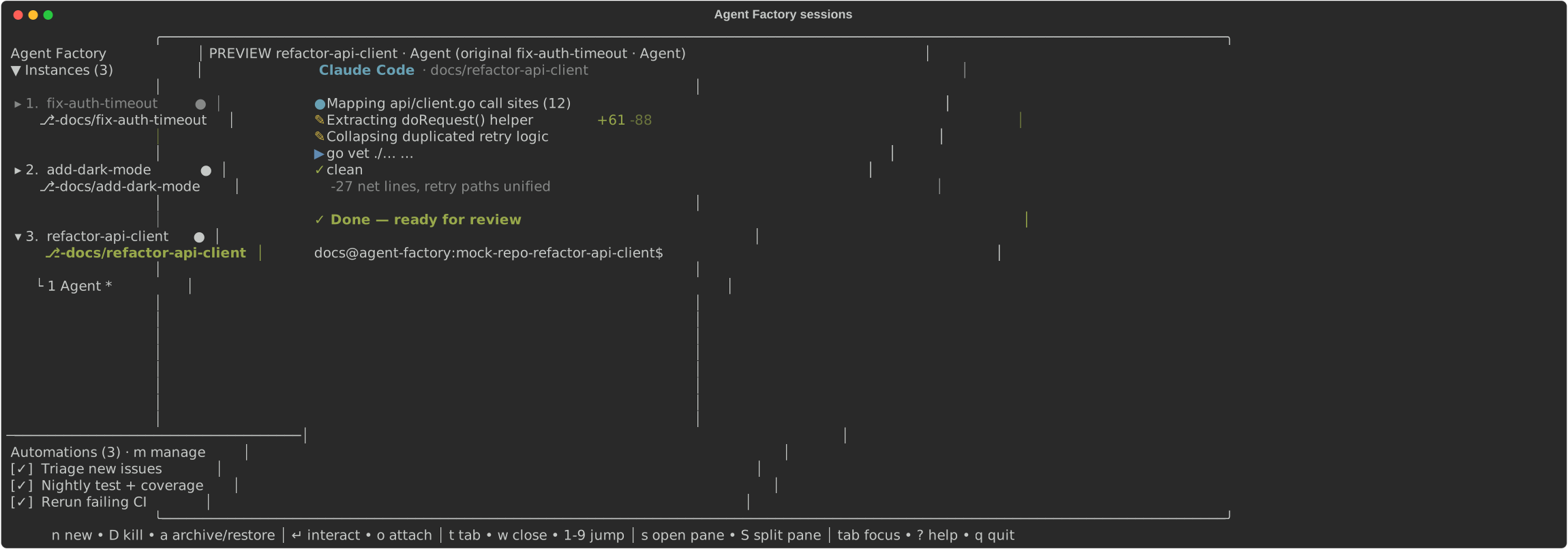
The TUI sidebar shows every session for the active project. Press Ctrl-p
to switch projects without restarting — from TUI navigation, not while attached
to a pane (there Ctrl-p goes to the running program, so press Ctrl-] to
detach first). The Agent tab shows a snapshot of the selected agent's terminal,
so you can scan progress without attaching:
- running sessions keep moving in the background;
- blocked sessions are visible;
- usage-limit waits get a
[limit]badge; - dead or lost sessions can be restored when possible.
The TUI is a client. The daemon owns the state, so closing the TUI does not stop the work.
4. Jump In Only When Needed
There are two interaction modes:
- Enter interacts with the selected tab inside the TUI pane.
oattaches full-screen to the session's tmux terminal.
You can also create helper tabs in the same worktree from the TUI:
topens a new helper tab for a shell or command.sopens the selected tab as a workspace pane.1-9jumps between tabs.
CLI equivalent:
af sessions tab-create fix-auth-redirect --command "npm test -- --watch"
af sessions tab-create fix-auth-redirect --command "npm run dev"
Those tabs run beside the agent and persist across restarts.
5. Automate Repeating Work
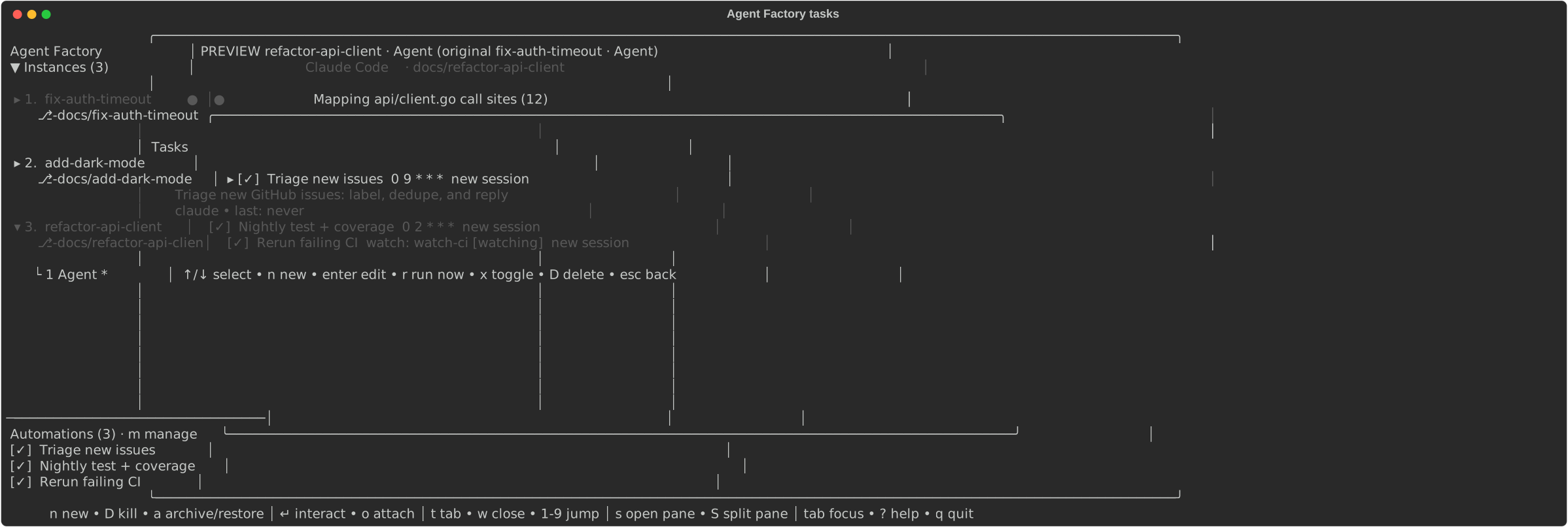
Open the task manager with m. From there you can create, edit, enable,
disable, and run automations without leaving the TUI. Tasks let the daemon
deliver prompts automatically:
mopens the task manager.ncreates a task.rruns a cron task now.- Space enables or disables a task.
CLI equivalent for a cron task:
af tasks add \
  --name "Daily triage" \
  --prompt "Triage new issues and propose next actions" \
  --cron "0 9 * * 1-5"
Watch tasks turn stdout lines from a long-running script into agent prompts. CLI equivalent:
af tasks add \
  --name "Issue watcher" \
  --watch-cmd "./watch-issues.sh" \
  --prompt "Triage this issue: {{line}}" \
  --target-session triage
Tasks can create a fresh session per fire or deliver prompts into a named session.
6. Review The Result As Git Work
When an agent says it is done, inspect the worktree and branch like any other change:
Push it, open a pull request, run CI, ask the agent for follow-up fixes, or merge it manually. Agent Factory does not replace code review; it keeps agent work organized enough to review.
7. Archive, Restore, Or Kill
Use archive as the default finish action. In the TUI, select the session and
press a. Archiving tears down the live process and moves the worktree
aside, but keeps the record and branch restorable.
CLI equivalent:
Restore later by selecting the archived row and pressing a again, or from
the CLI:
Kill only when you mean permanent cleanup. In the TUI, select the session and
press D:
Kill permanently removes the session even when its branch has uncommitted or unmerged work.
The Short Version
prompt
  -> session
  -> branch + worktree
  -> agent + helper tabs
  -> TUI / CLI / API supervision
  -> git review
  -> archive, restore, or kill
Read Getting started for the first-run walkthrough, or Worktree-isolated agents for the underlying session model.